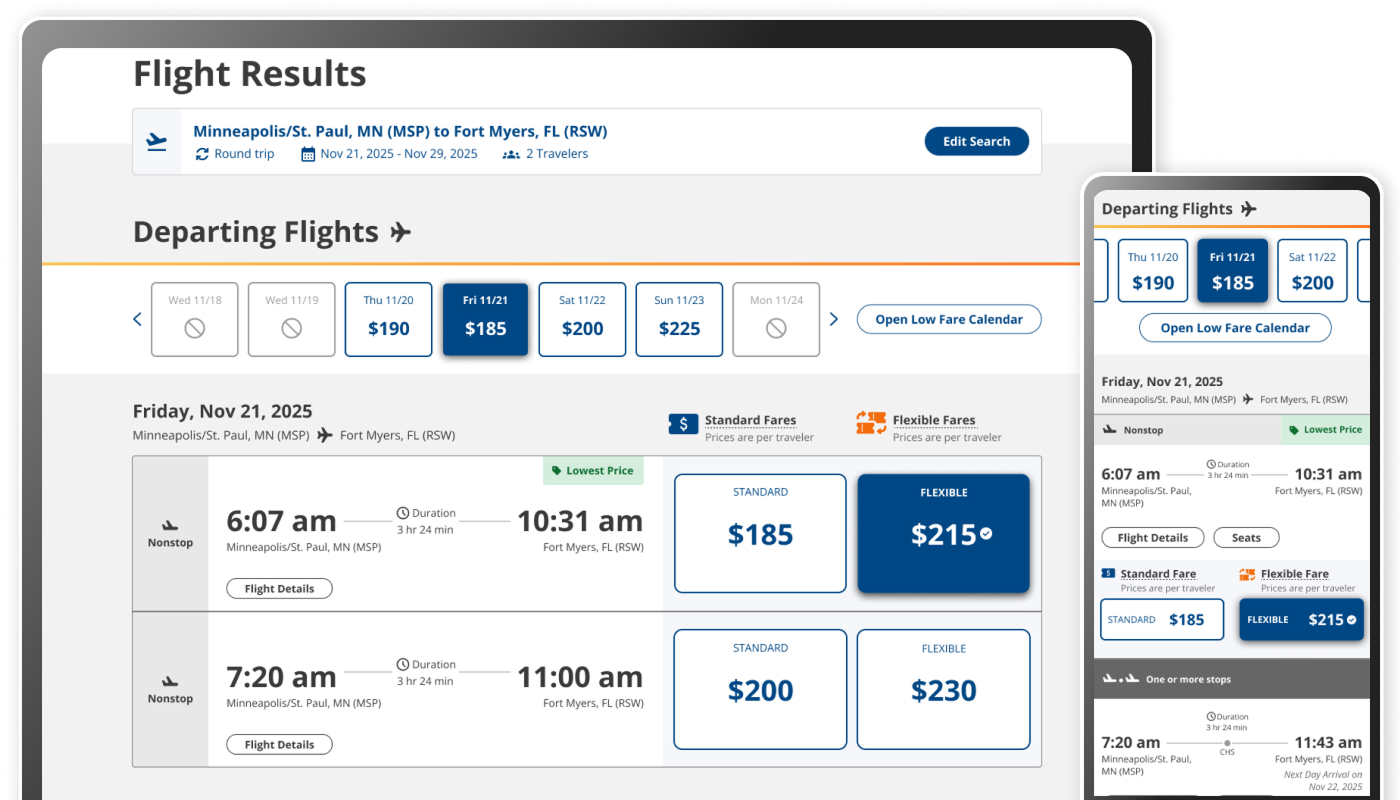
A Redesign Opportunity
Sun Country was gearing up to introduce a new second fare price point on the Flight Results page in the booking flow. Product & UX used this opportunity to rethink the Flight Results page: improve conversion, reduce flight browsing friction, and align the design with an upcoming update to the homepage.
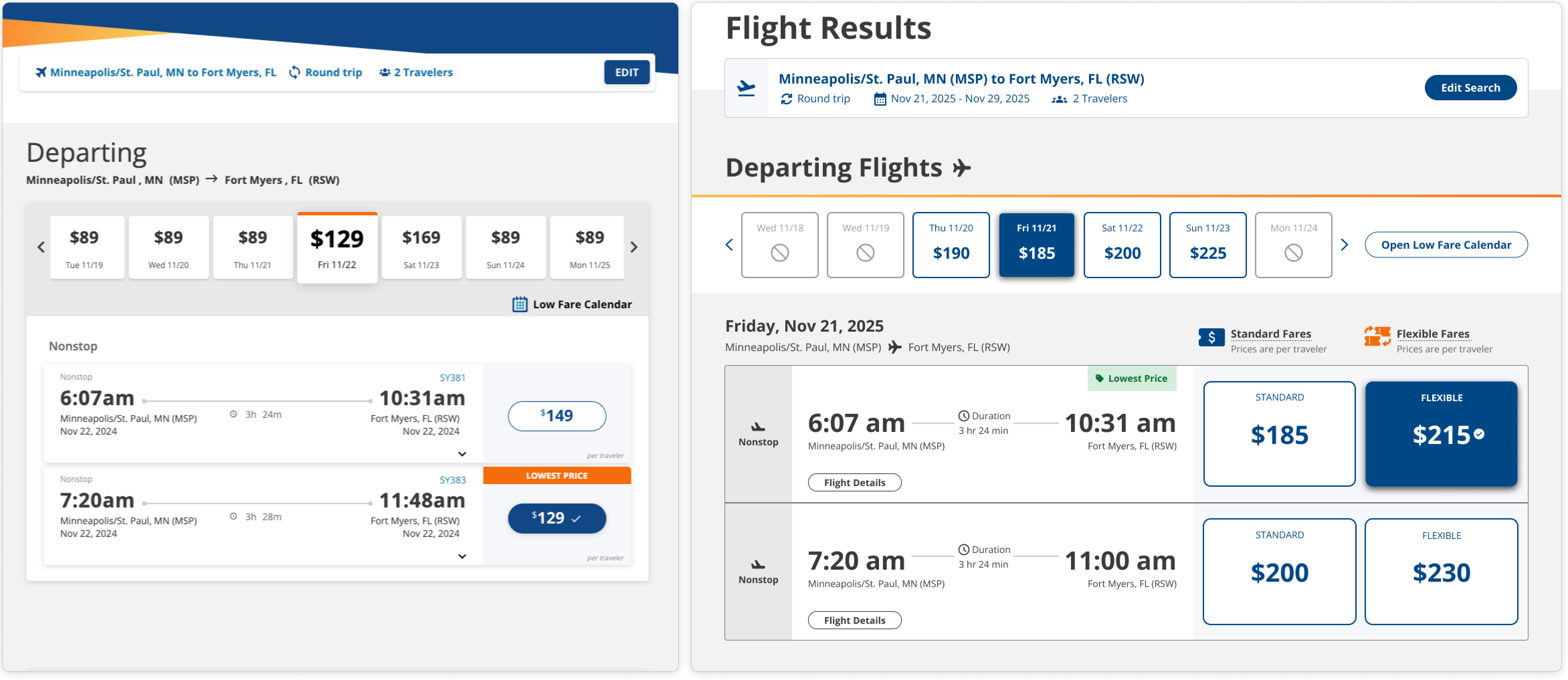
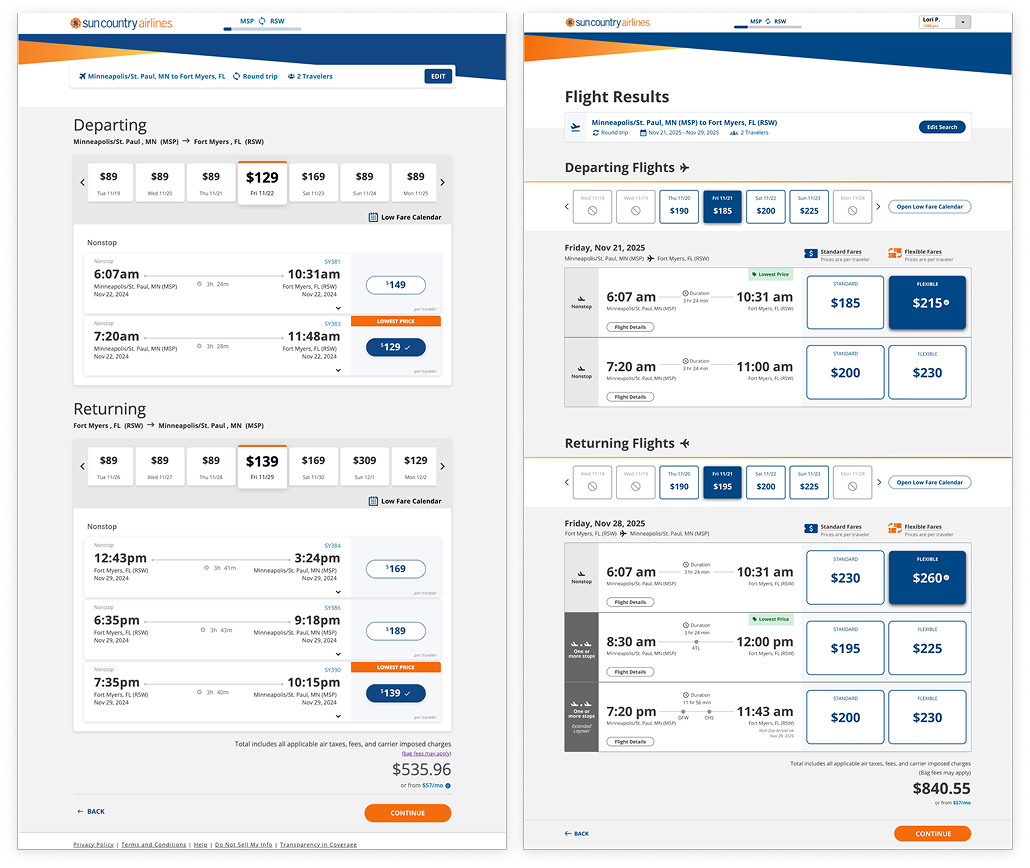
Left Image: Previous design | Right Image: New design
Things We Knew
Mobile web is important for browsing
Mobile web users convert at a lower rate, yet are more engaged browsers. By improving flight browsing for mobile web users, we could improve their booking conversion, even if they complete the transaction on a desktop screen.
Low Fare Calendar needs an obvious entry
A 2024 A/B test showed that a button (not a text link) in a more prominent location led to a 7.66% increase in Low Fare Calendar engagement.
The edit search widget needs help
We saw that 25% of sessions that tried to update their search in the edit widget were unsuccessful. If we could help those users complete that task, that could positively impact page conversion.
Key Research Findings
Question:
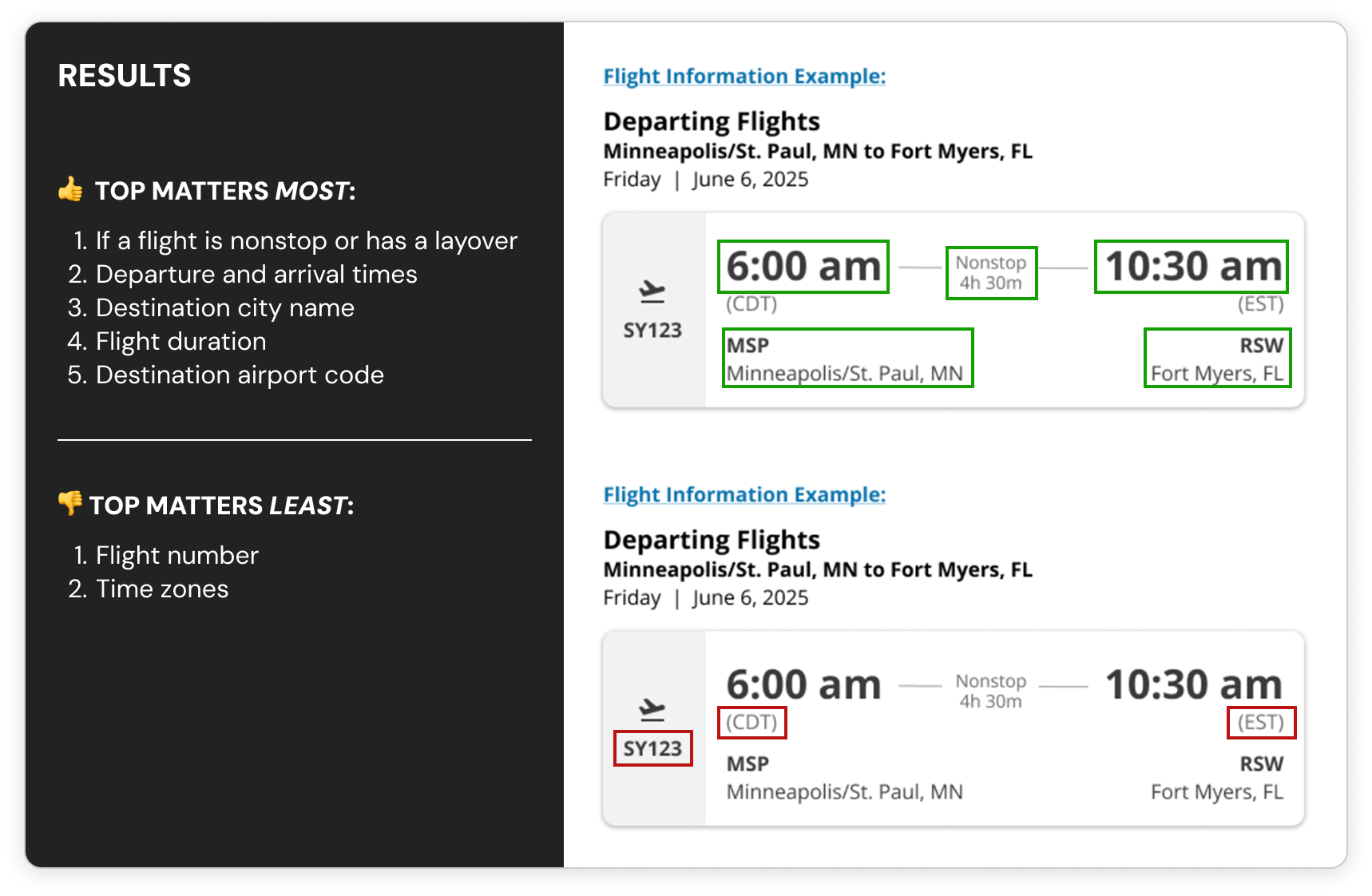
What flight info is most important to travelers when browsing flights?
- A little over 50 travelers participated in a Flight Results survey
- Knowing if a flight is nonstop vs. layover and a flight’s departure and arrival times were the top most important flight details that travelers said they care about when browsing flights
Question:
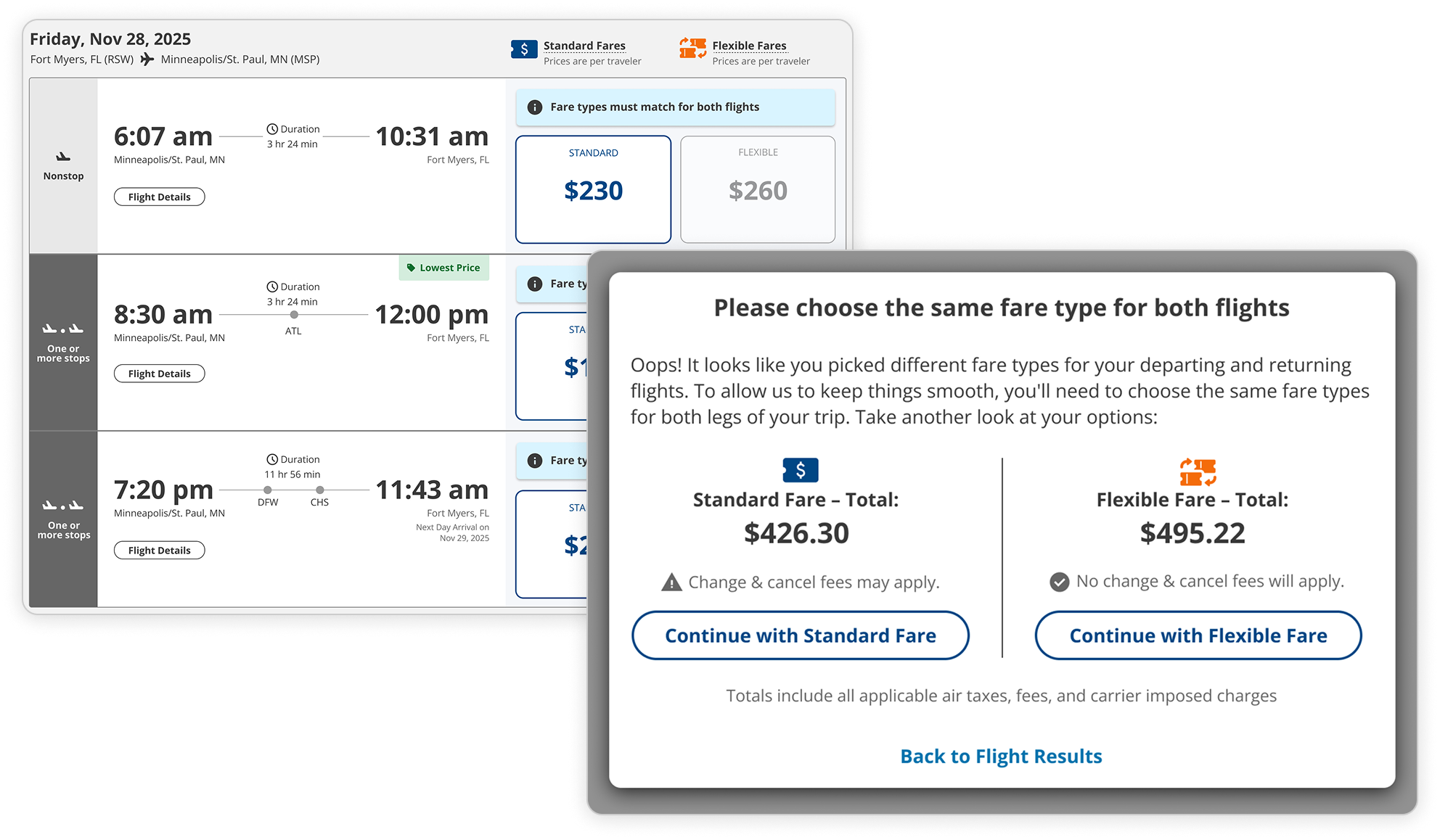
With the new “Flexible Fare” logic, what is the best way to communicate that both flights must have matching fares before users leave the page?
- 50 people participated in 2 remote unmoderated prototype tests: a disabled button state and a modal experience
- The modal experience performed better with more participants completing the prototype activity and with faster completion times
Left Image: Disabled example | Right Image: Modal example
Design Strategies
- Create a flexible button experience: with the introduction of a Standard Fare and a Flexible Fare, I created a button experience that could meet the needs for matching fare business logic and support edge case scenarios
- Extra clarity around nonstop flights: I updated the flight details to elevate the most important flight details that travelers want to see at this stage in the booking flow
- Improve flight search editing: I made a couple UI changes to the edit search widget to help travelers fully complete the task to trigger the page to reload with updated flight results
Left Image: Old Flight Results page desktop design | Right Image: New Flight Results page desktop design
Design Highlights
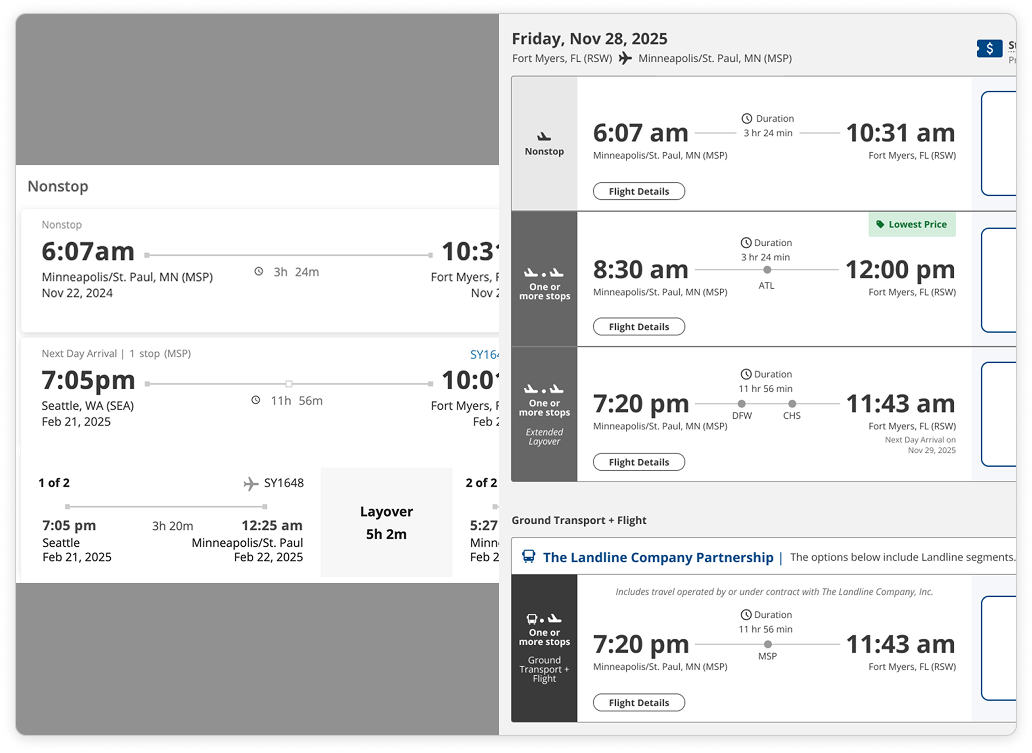
1 of 3: Flight directness comparison: Old (left) and New (right)
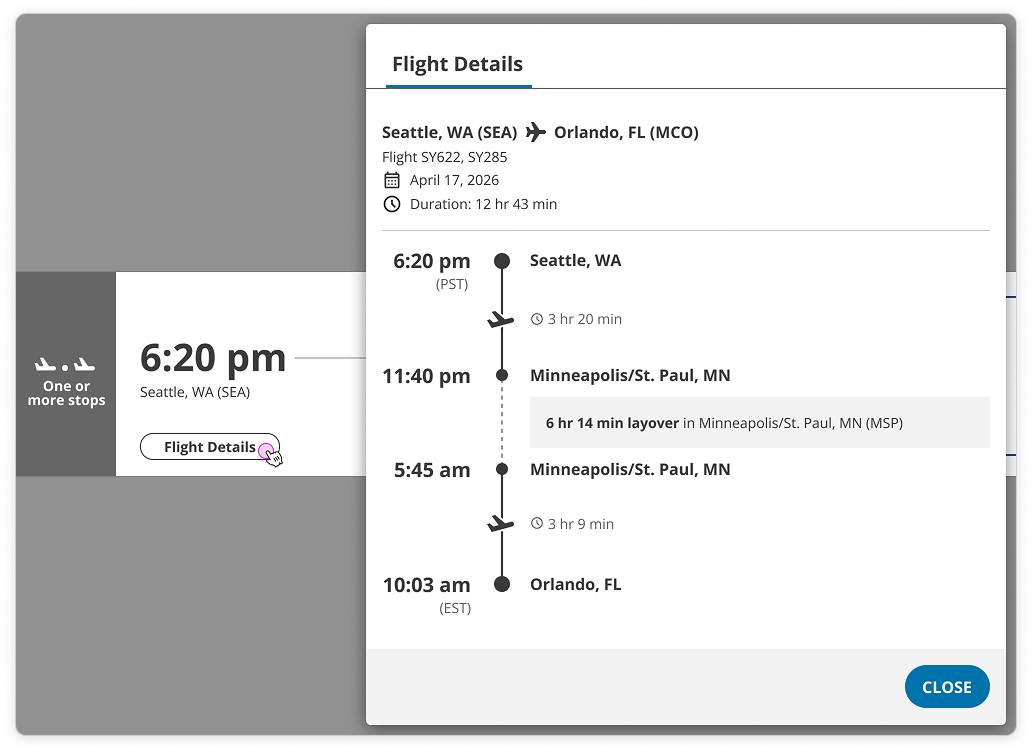
2 of 3: Flight details modal
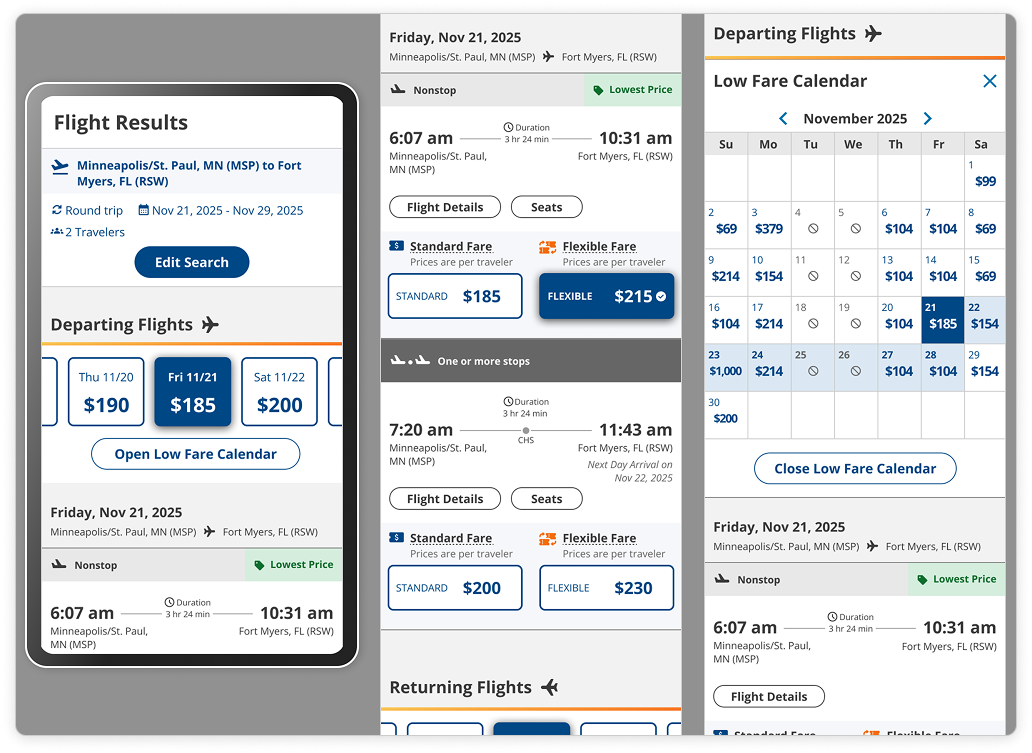
3 of 3: Select mobile views
Select Exploration
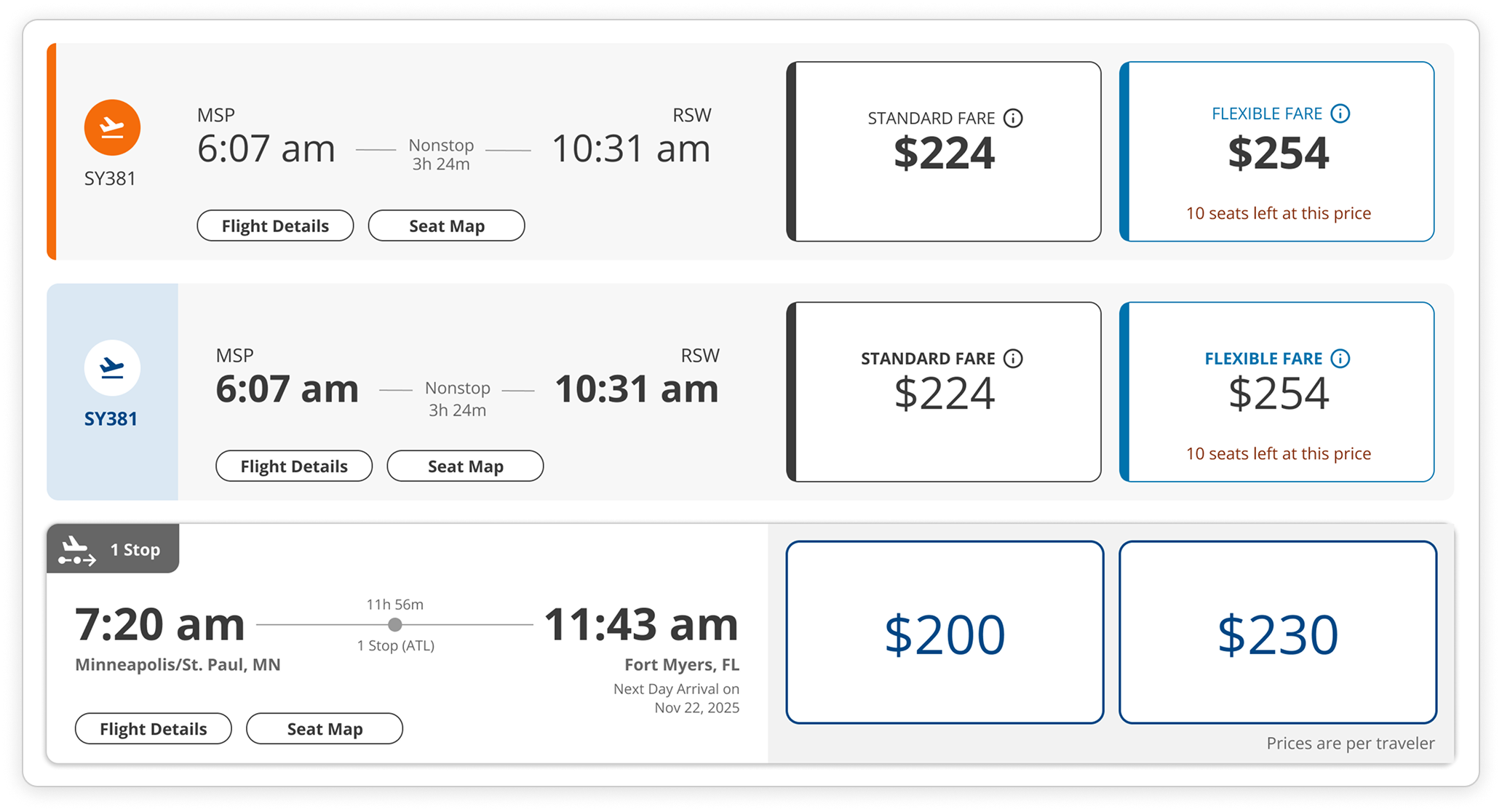
1 of 3: Flight card exploration
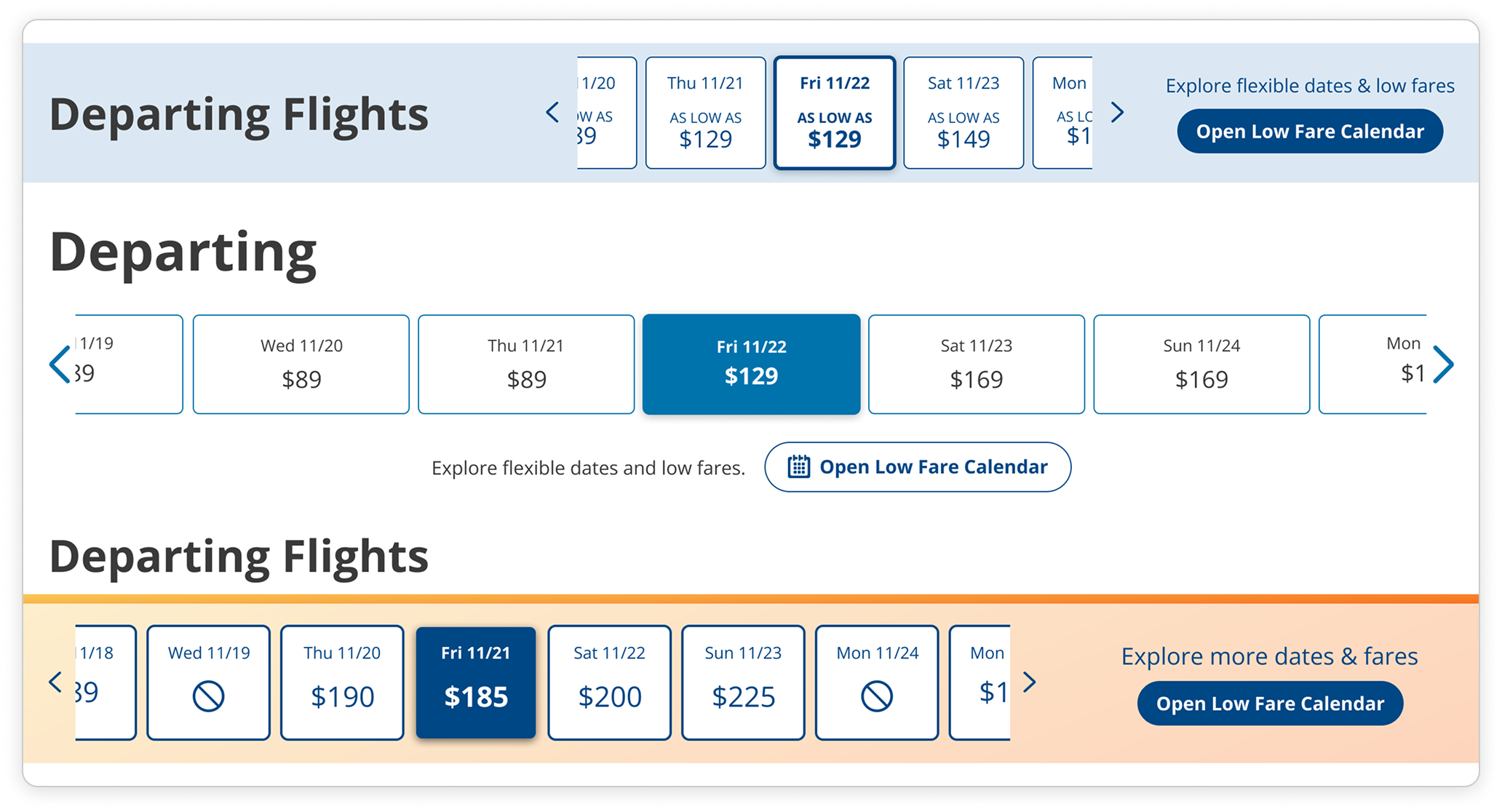
2 of 3: Low Fare Calendar ribbon exploration
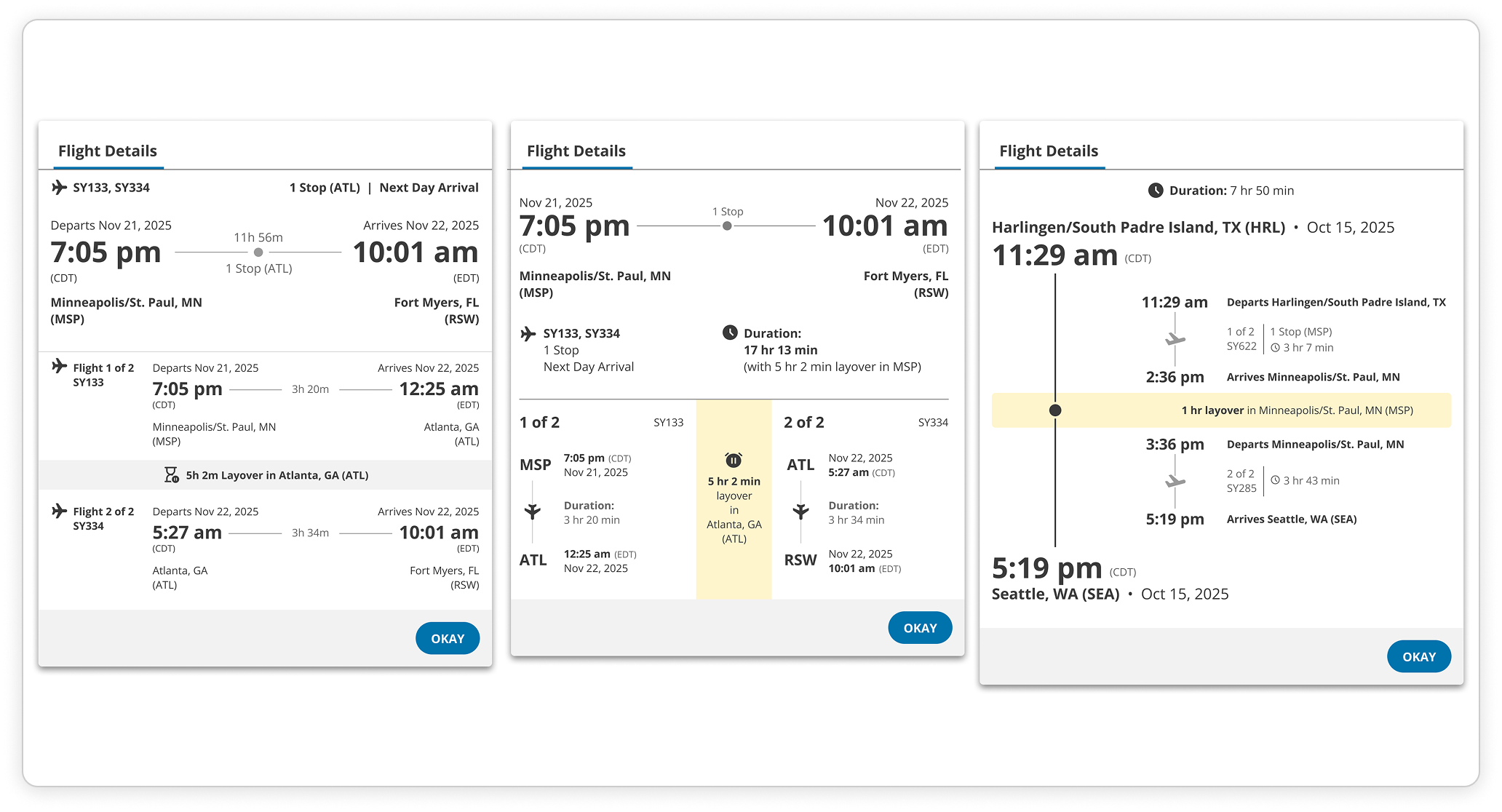
3 of 3: Flight Details modal exploration
Challenges
Research, Take 2
I decided to redo one of the Maze.co tests because upon further analysis, the instructional language in one of the prototype activities was more confusing than the other, so the tests weren’t on equal footing.
Launch Plan Pivot
The launch plan shifted from rolling releases with incremental A/B testing to a full redesign launch, which meant getting all designs ready at once.
Conclusion
The redesign didn't ship because a merger shifted priorities before launch. However, the research and design work validated a clearer, more conversion-focused approach to flight browsing. The data we gathered on what travelers actually need at this stage in the booking flow informed how the team thinks about the page going forward.